加载中...
New Feature: Markdown Beautify
Turn any image into aDirect shareable link
Convert screenshots and image files into direct URLs and Markdown links in seconds. Built for docs, blogs, GitHub, and team chats.
Convert Images Online
Paste screenshots and auto-upload
Markdown EditormacOSWindowsLinux
Three Steps to Get a Direct Image Link
Upload or paste an image, generate a direct URL, and copy it in the format you need.
Upload from clipboard or files
Paste screenshots, drag images, or choose files and generate links without leaving your writing flow.
Automatic optimization
Images are optimized to AVIF when possible so your links stay fast and lightweight.
Use your own storage
Connect S3, R2, OSS, or COS and keep credentials local while still using the same upload flow.
Copy as Markdown or URL
Get ready-to-paste Markdown, URL, or BBCode output for docs, blogs, issues, and forums.
Popular searches
Start from the exact page that matches your upload task
If you came here looking for a direct image URL, a pure image-to-link converter, or a fast way to turn screenshots into Markdown-ready links, jump straight to the matching workflow.
Desktop features for heavy upload workflows
Everything you need to convert images to links quickly and keep files organized.
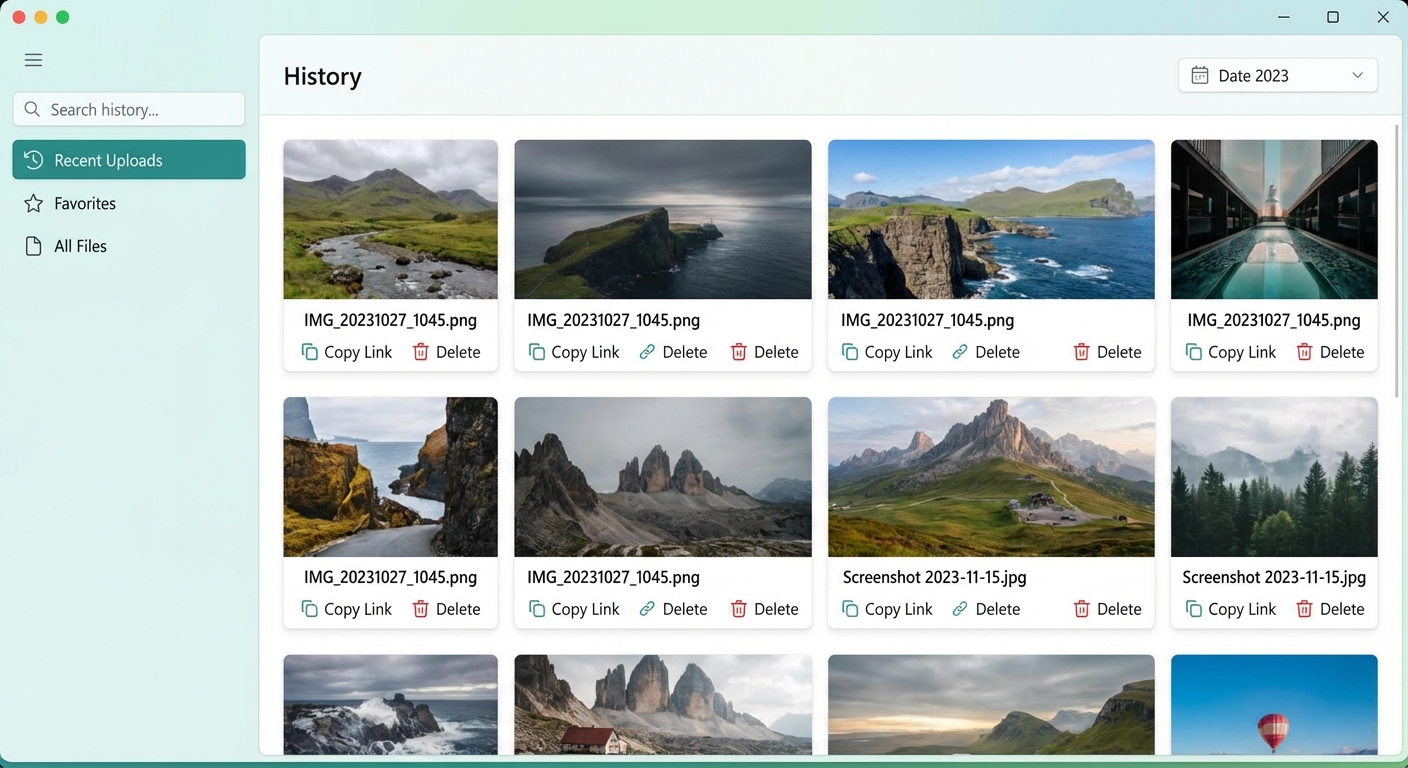
History manager
Access your complete upload history and manage all generated links in one place.
- Search uploads by filename or date
- Copy links in Markdown or direct URL format
- Bulk clean up old uploads
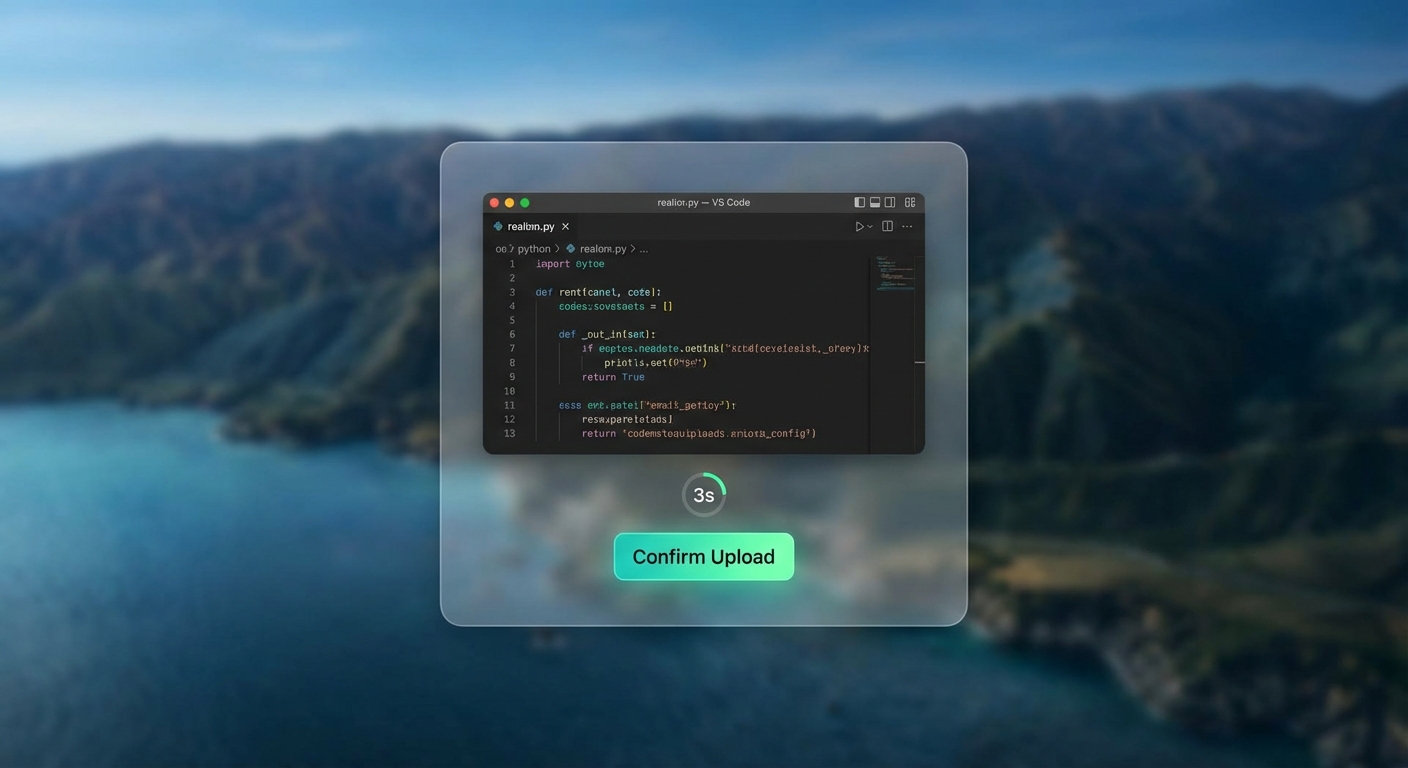
Floating preview window
Preview an image before upload with countdown controls for quick confirm or cancel.
- Preview image before generating a link
- 3-second auto-upload timer
- One-click cancel
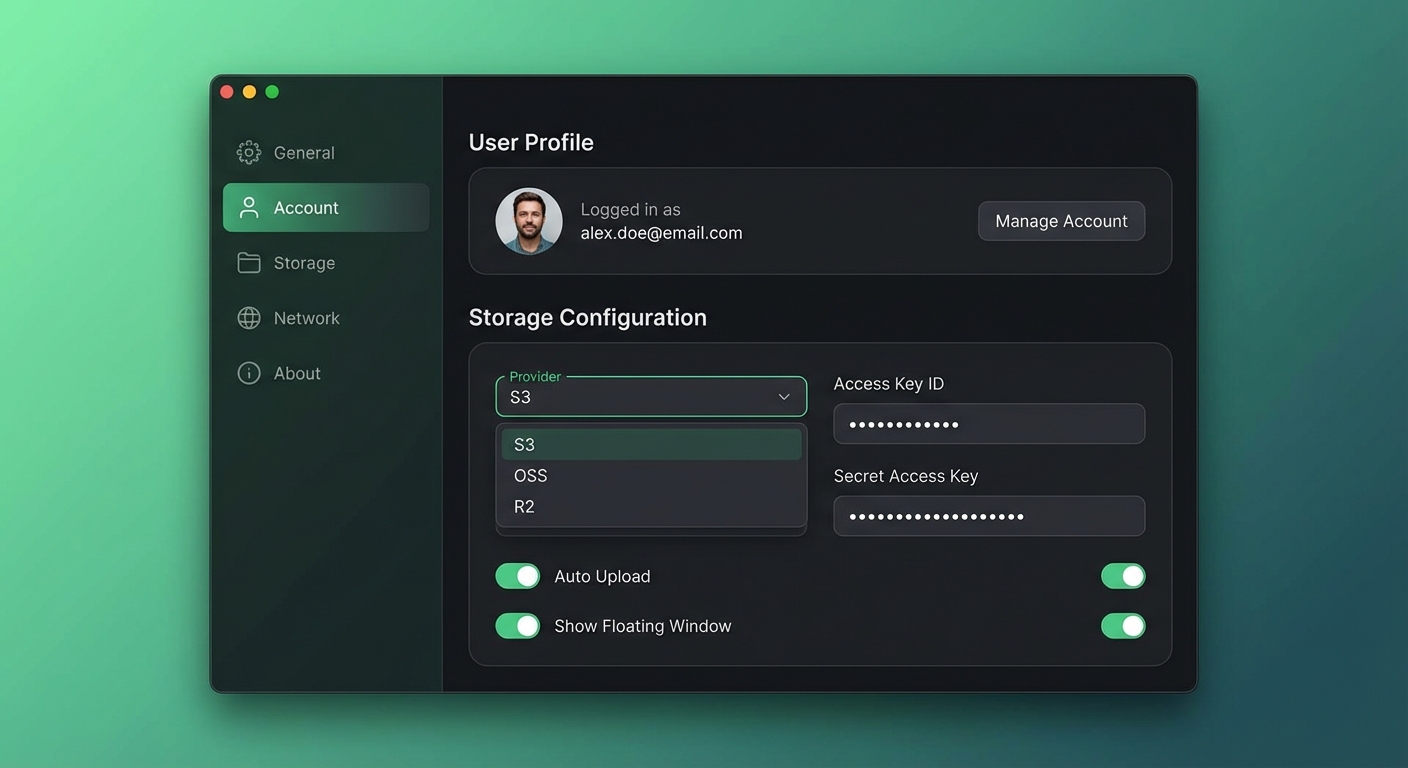
Advanced storage settings
Configure custom storage (S3, R2, OSS, COS) and tune upload behavior for your workflow.
- Support for AWS S3, Cloudflare R2, Aliyun OSS, and COS
- Auto-start client on system login
- Customizable upload shortcuts
Automatic folder organization
Auto-organize uploads into folders and keep storage clean with naming rules.
- Organize by year/month automatically
- Custom filename patterns (for example, date-time)
- Keep your storage bucket tidy with zero manual work
Built for real image workflows
Ship image links faster with secure uploads, copy-ready formats, and desktop + web sync.
FastFree
Free upload ladder: 30 → 1,000/200 → +100
Start with 30 anonymous uploads. Early users (first 2,000) get 1,000 free uploads (regular 200). Desktop login adds +100, and referrals reward both sides with 20.
Fast
Start with 30 anonymous uploads. Early users (first 2,000) get 1,000 free uploads (regular 200). Desktop login adds +100, and referrals reward both sides with 20.
Secure by default
Storage credentials stay local and private. You control where files go when using custom storage.
Upload history and file management
Browse, copy, and organize uploaded images across desktop and web dashboard.
Global delivery
Generated links are optimized for stable sharing and fast loading across regions.
Desktop and web together
Use browser upload for quick sharing, then switch to clipboard-to-link desktop mode when you need speed.
Image to Link FAQ
QHow do I turn an image into a direct link?
Upload, drag, or paste an image. We process it, store it, and return a direct URL plus optional Markdown and BBCode formats.
QIs this image to link converter free?
Yes. You can start with 30 anonymous uploads. Registered users get 1,000 during early-bird (regular 200), plus 100 extra after desktop login.
QCan I host images on my own storage?
Yes. Connect S3, R2, OSS, COS, or other compatible storage to generate links while keeping credentials local.
QIs it safe to upload screenshots and docs images?
Security is built in: EXIF is stripped by default, and storage credentials are kept on your device when custom storage is enabled.
Ready to generate direct image links faster?
Use the online uploader now, then switch to the desktop client when you need clipboard-speed workflows.
Choose the path that fits your workflow: browser upload for quick tasks, desktop automation for daily writing and documentation.
Auto-upload screenshots
Download Client